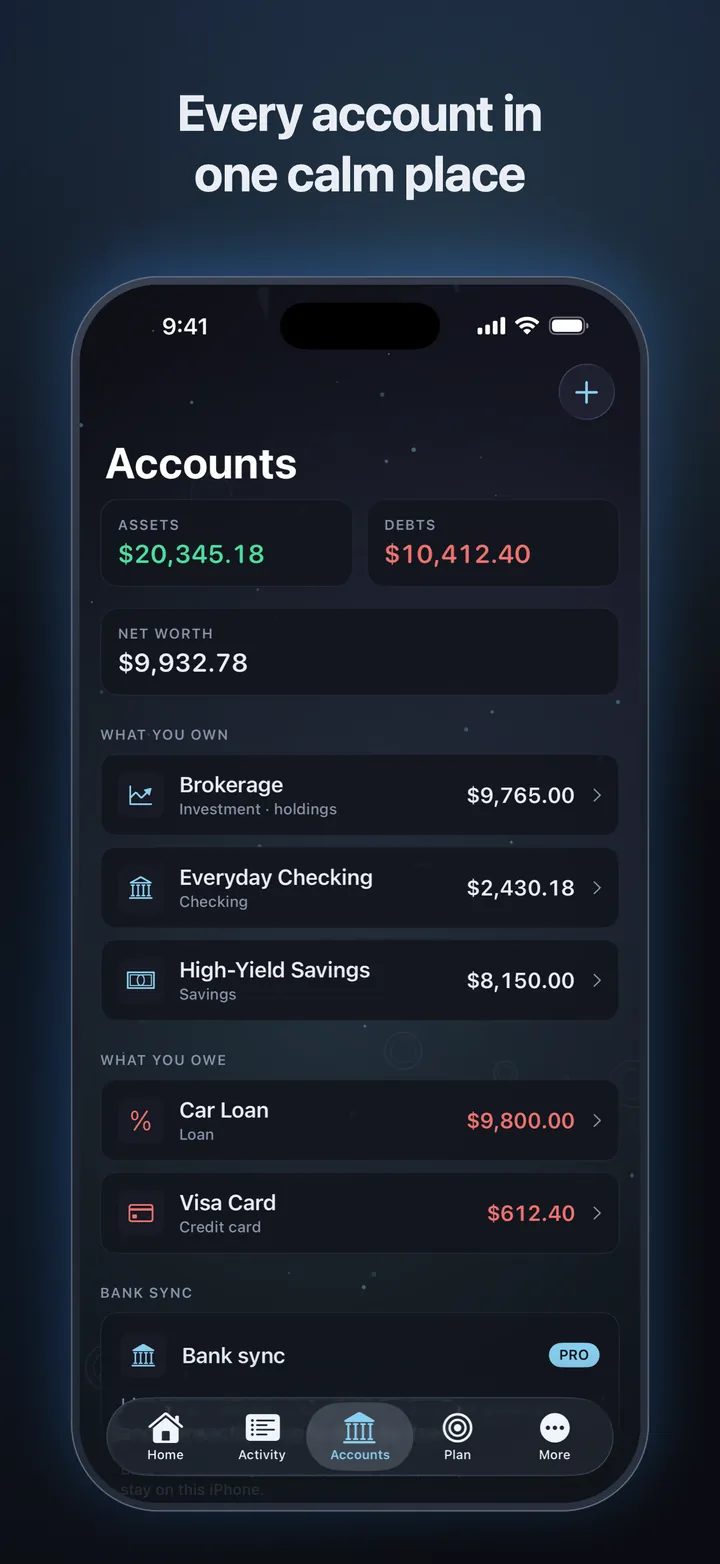
Every account in one place
Checking, savings, cash, cards, loans and investments. Assets, debts and net worth that always add up.
 Trinance
Every account, bill and budget in one calm place. Know what's safe to spend, see what's coming, and watch your net worth grow. Your finances stay on your device.
Free to use, with no ads. Trinance Pro and Premium add bank linking and an AI assistant.
Features
Trinance keeps the whole picture in view: what you have, what's due, and what's left. No spreadsheets, no noise.
Checking, savings, cash, cards, loans and investments. Assets, debts and net worth that always add up.
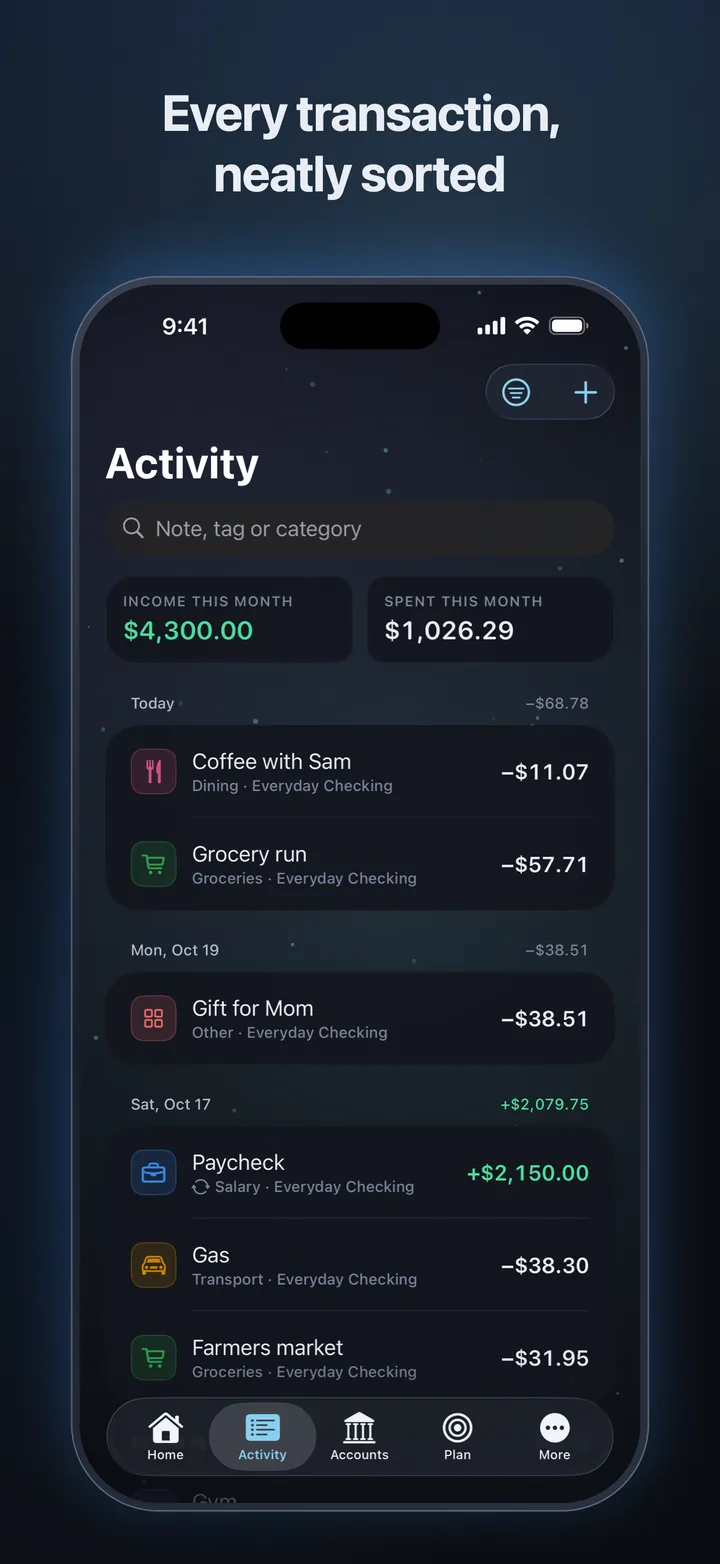
Categories, notes and tags, with search and filters. Bring in older history from a bank statement CSV.
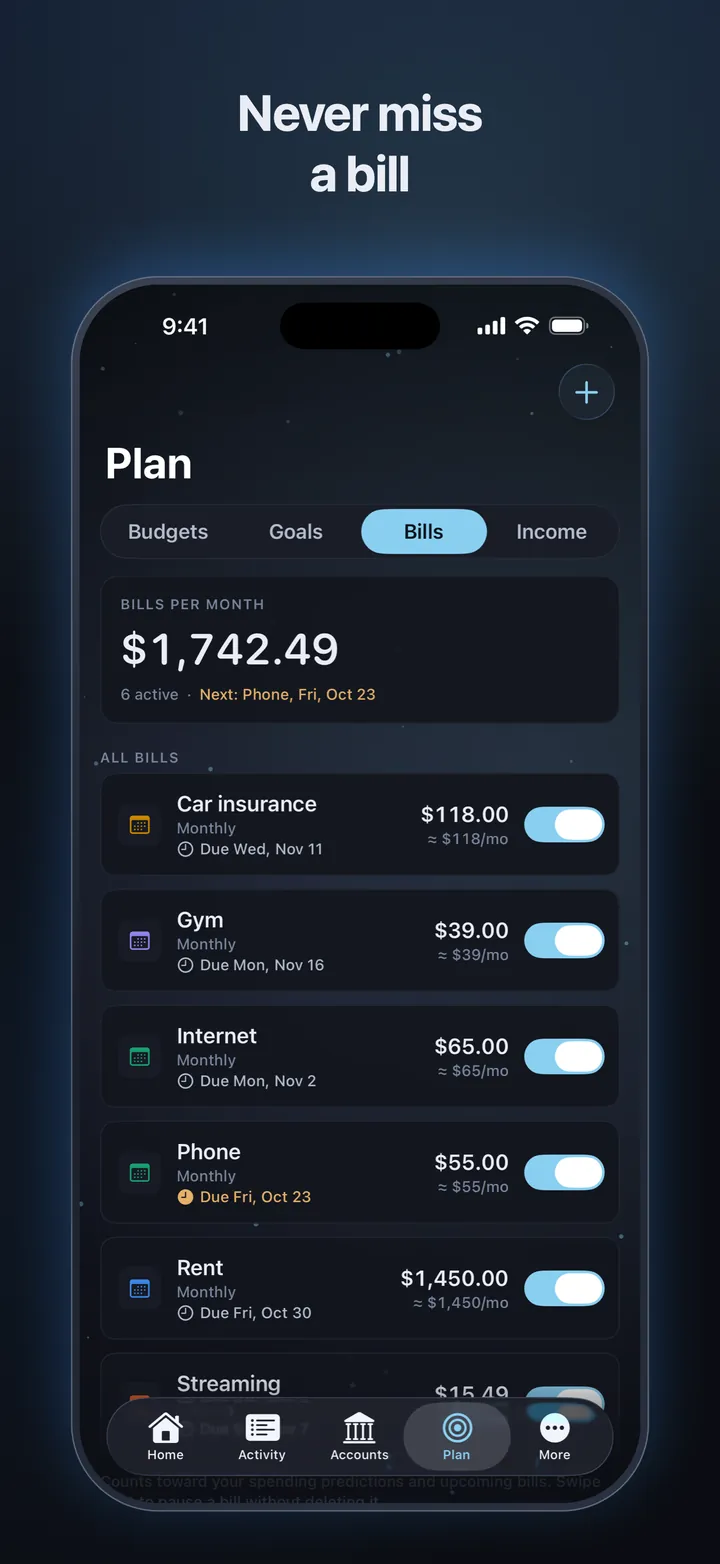
Recurring bills and income post themselves when they're due, and a reminder lands before anything is owed.
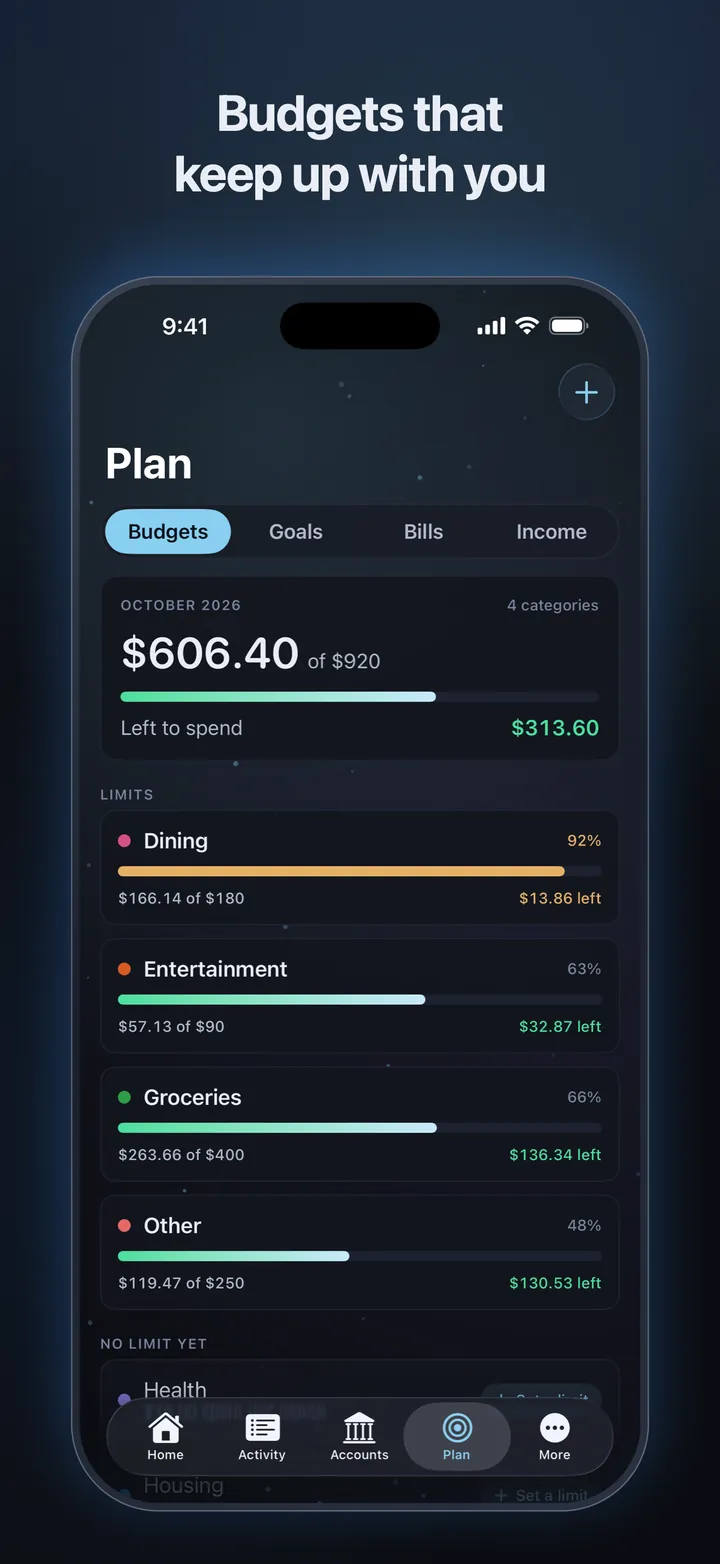
A monthly limit for each category. Green, amber or red tells you how you're doing at a glance.
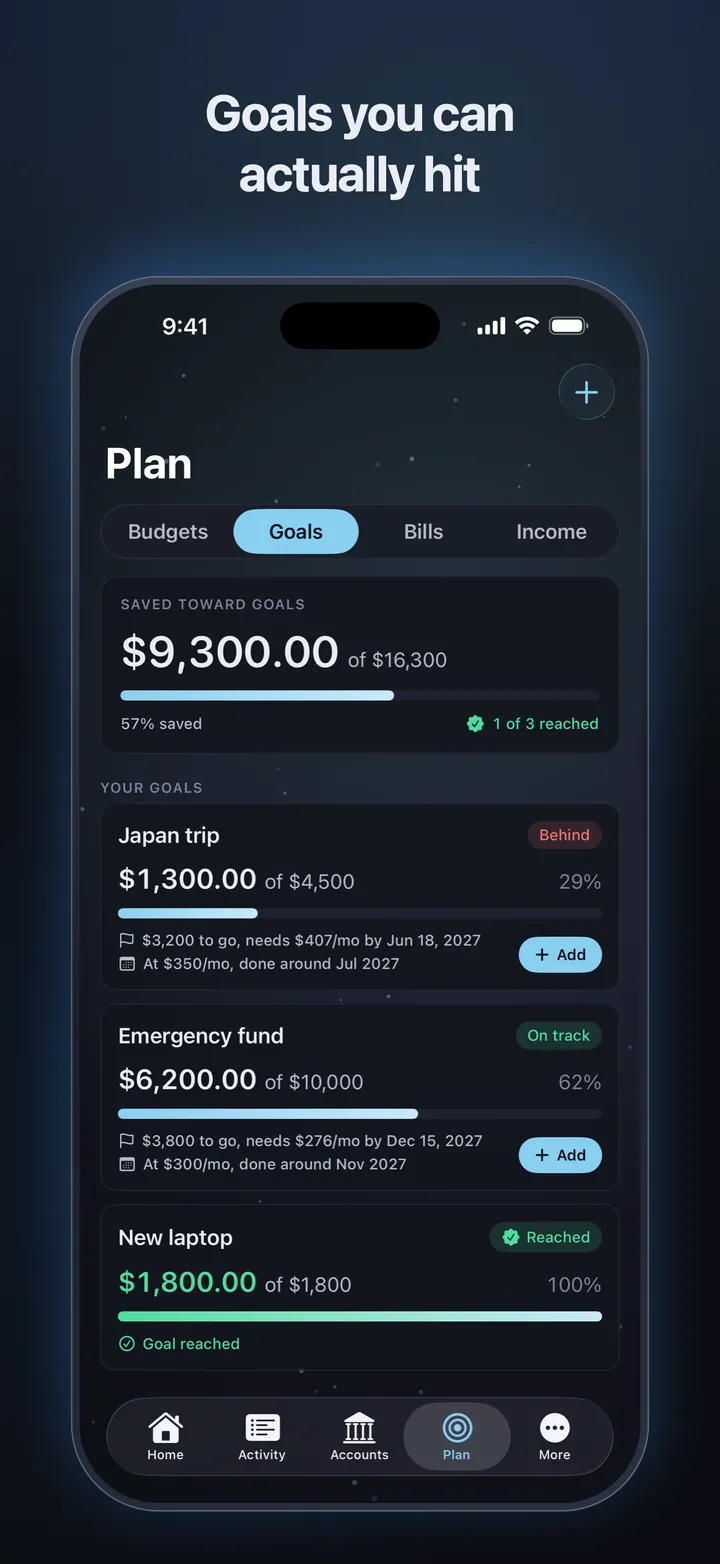
Set a target and a date. Trinance shows whether you're on track and what it takes each month.
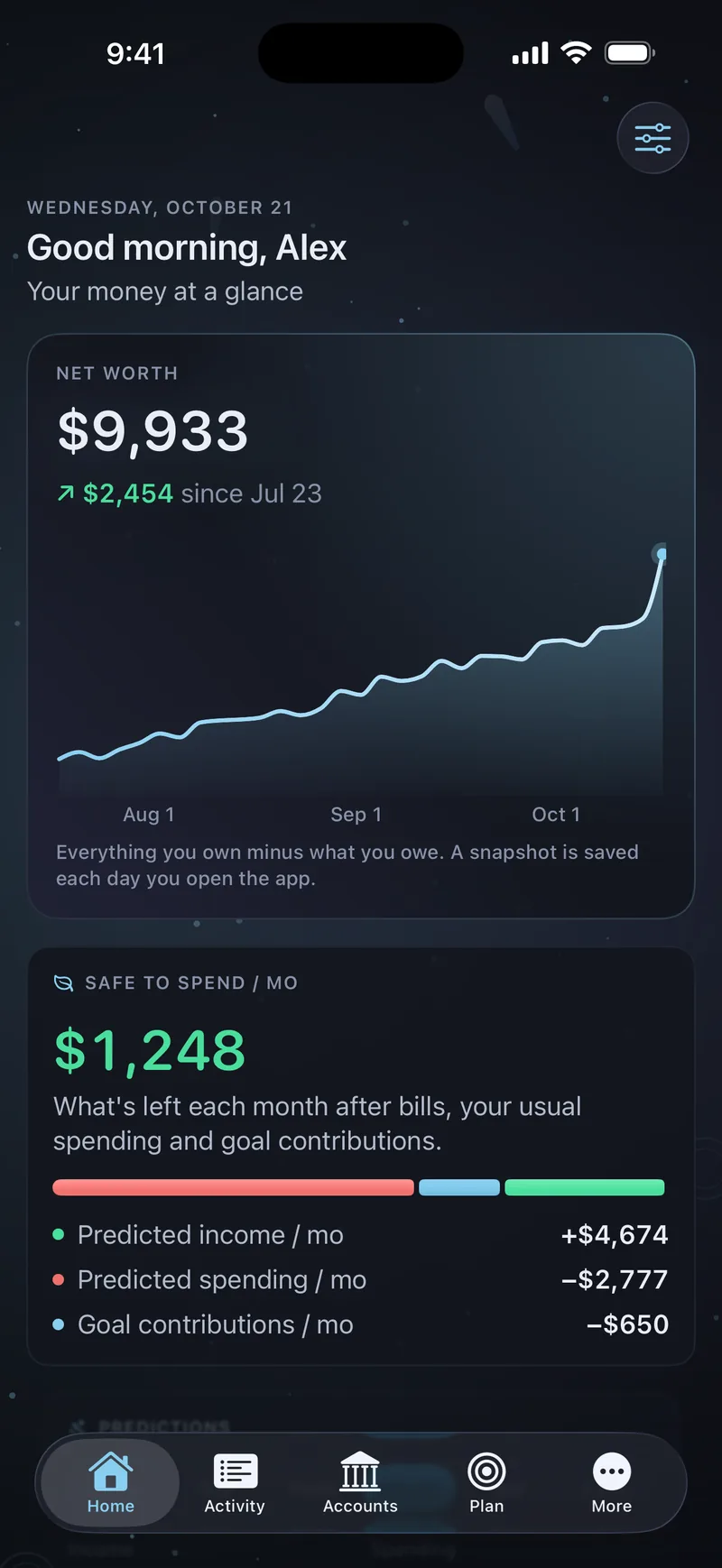
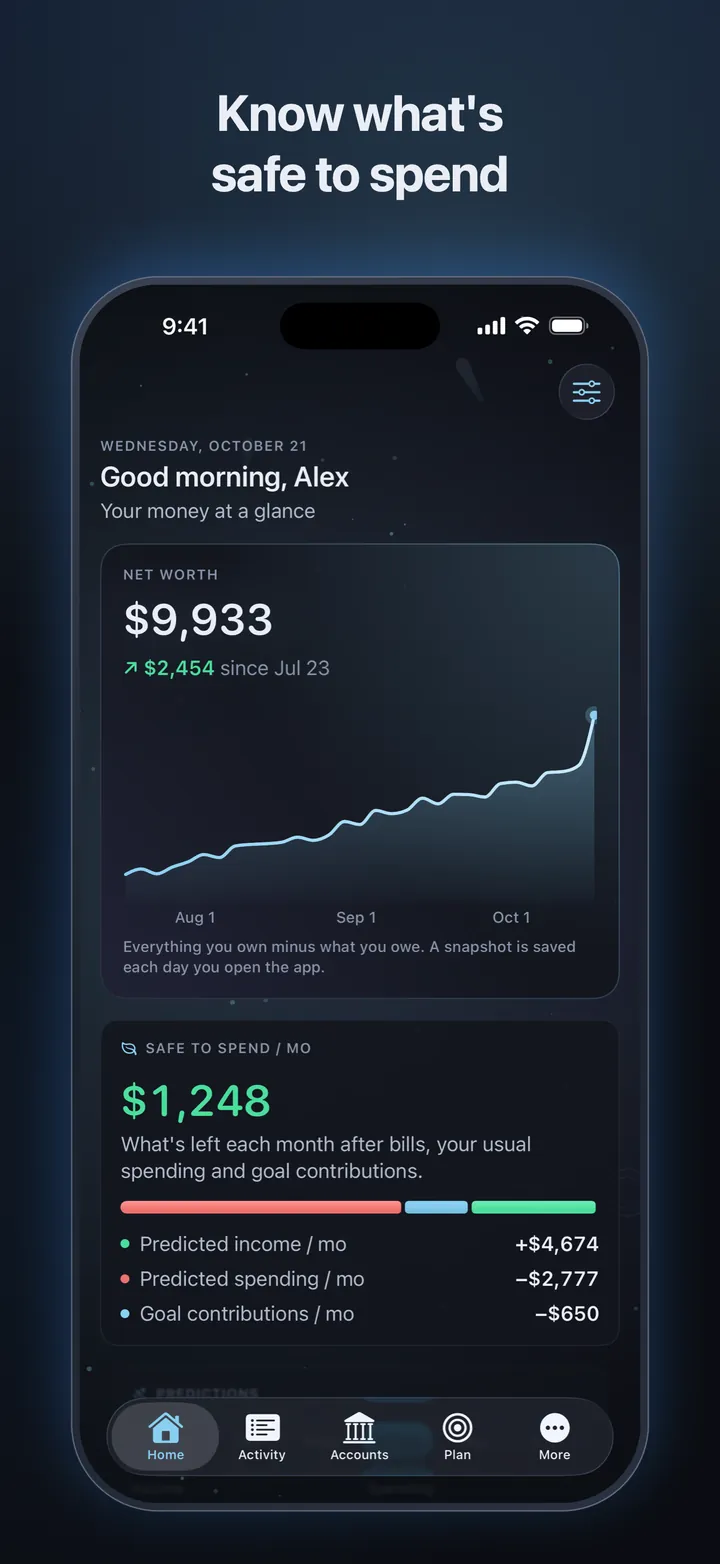
What's left each month after bills, your usual spending and goal contributions, plus predictions from a day to two years out.
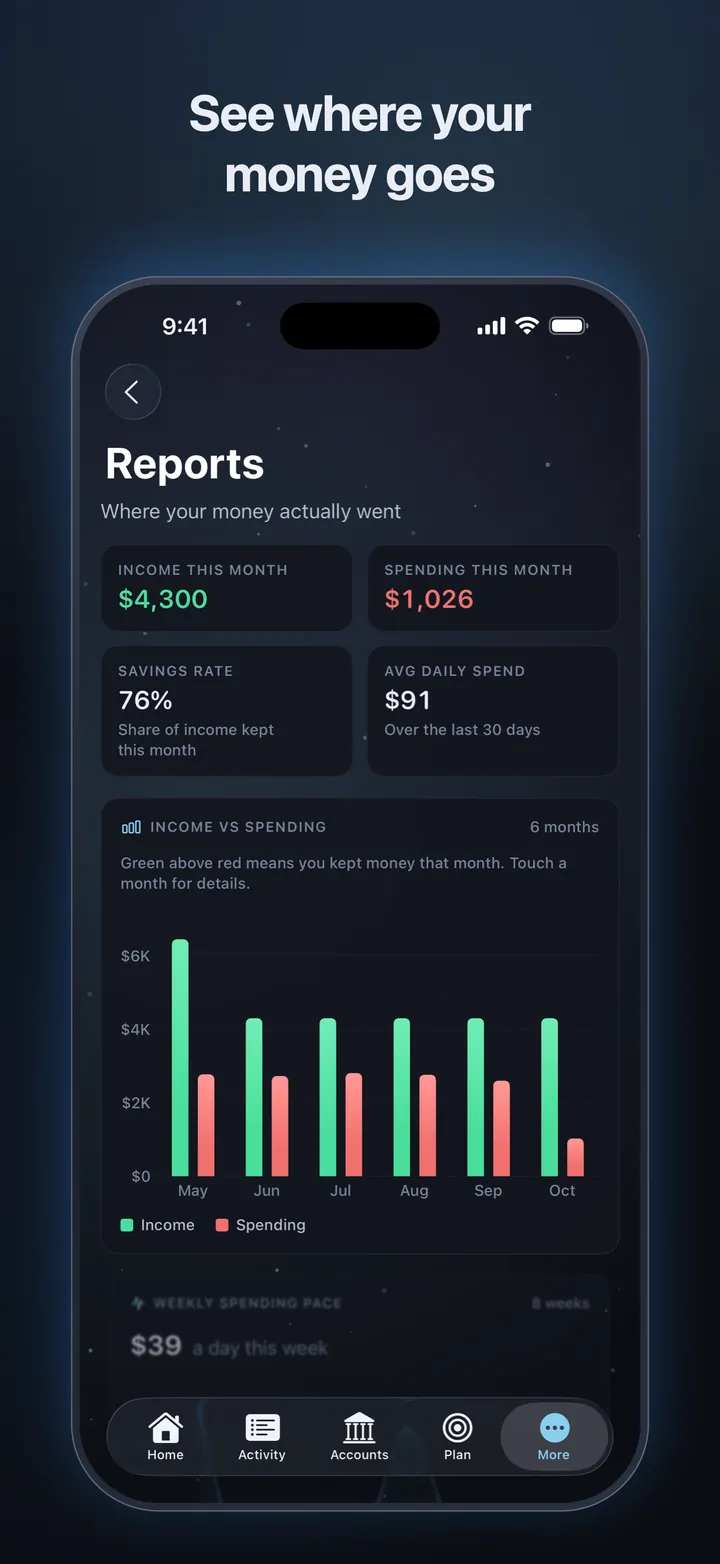
A daily snapshot of your net worth, income versus spending, your savings rate and your biggest expenses.
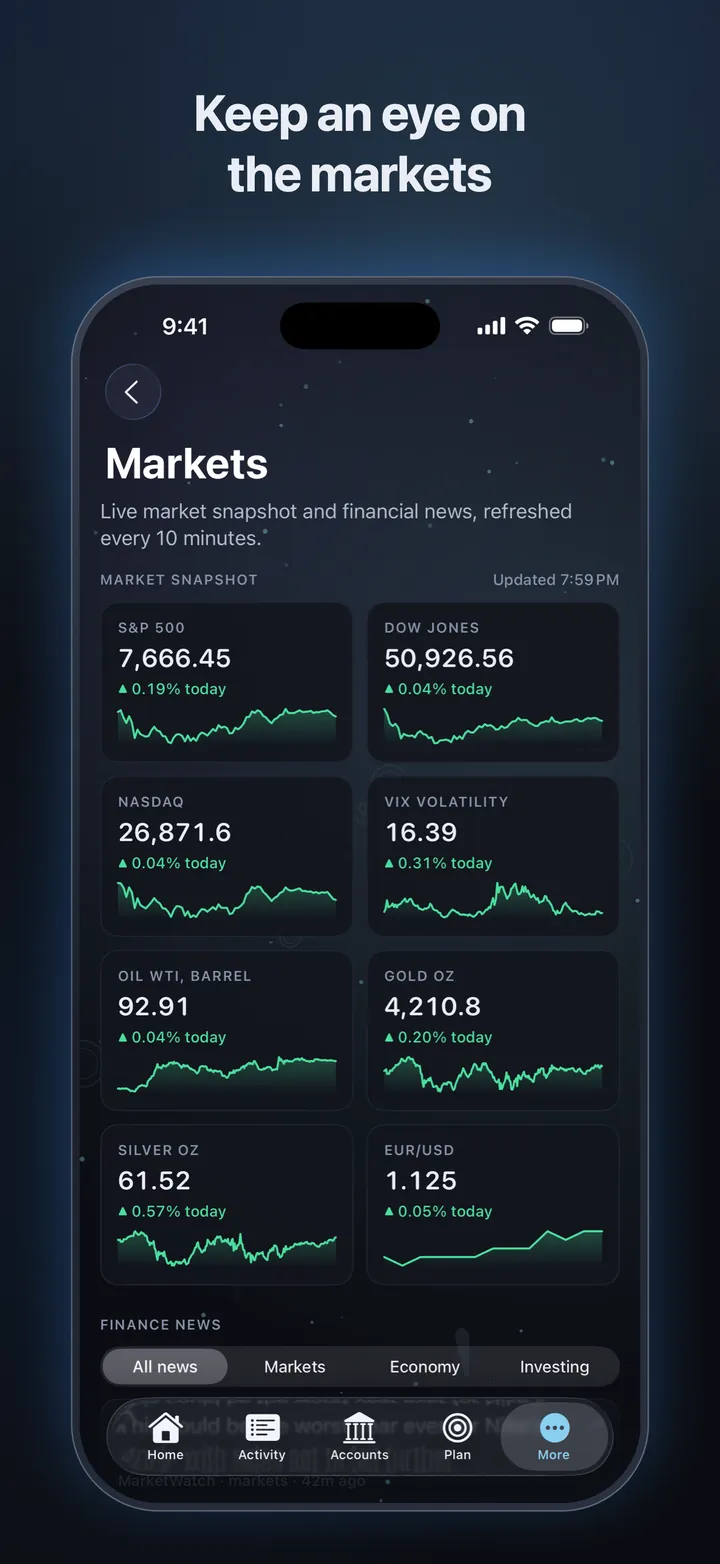
The major indexes, oil, gold, silver and the euro, with finance headlines from CNBC and MarketWatch.
Up to three profiles, each with its own passcode and Face ID. No ads, and your finances stay on your iPhone.
Take a look
Designed for iPhone from the ground up, with smooth motion and a dark look that's easy on the eyes.
Pricing
Everything that runs on your device is free. Add a plan when you want your banks linked and an AI assistant on hand.
Everything on your device, for as long as you like.
$0
No account needed
Your banks, kept up to date, plus AI.
$4.99/ month
or $39.99 a year
Room for every bank you use.
$7.99/ month
or $69.99 a year
Banks update on their own. Linked banks sync every few minutes while Trinance is open. Instant refreshes are extra checks you can ask for when you want the latest right now.
One plan, every device. Subscribe in Trinance on iPhone through the App Store. Your plan belongs to your Trinance account, so it works on every device you sign in to.
Cancel any time. Plans renew automatically until you cancel. Prices are in US dollars and may vary by country. Your free features never go away.
Privacy
Your money is your business. Trinance keeps as little as it can, and never sells your data or shows you ads.
Accounts, transactions, budgets, bills and goals are stored on your iPhone, behind your passcode or Face ID. You don't even need an account.
You sign in to your bank with Plaid, never with us. Transactions pass through to your device and aren't kept on our servers.
Questions go with a short summary of your numbers to Google's Gemini, through Devpire's server. Nothing is stored, and it's off until you turn it on.
Read the privacy policyNo ads. No trackers. No selling your data.
The same calm view of your money on your PC, with your data kept on your computer. Free to download for Windows 10 and 11.
Yes. Everything that runs on your device is free, with no ads: accounts, transactions, bills, budgets, goals, forecasts, reports, markets and news. Trinance Pro and Premium add linked banks and AI features.
Trinance for iPhone is coming soon to the App Store. Trinance for Windows is available now from devpire.com/downloads.
No. You only need a Trinance account to subscribe, link a bank or use AI. There's no password: we email you a six-digit code to sign in. Your finances stay on your device either way.
On your device, in the profile you create. Our servers keep only what's needed for your Trinance account, your plan and your linked banks. The privacy policy has the details.
Through Plaid. You sign in to your bank with Plaid, never with us, and Trinance confirms it's you with your passcode or Face ID first. After that, balances and transactions update on their own while Trinance is open.
Linked banks update on their own. An instant refresh asks your bank to check for anything new right now. Trinance Pro includes 15 a month and Premium 40, shared across your banks. They reset on the 1st.
Yes. Each app keeps your data on that device. Your plan belongs to your Trinance account, so it works wherever you sign in, and the iPhone app can import profiles exported from Trinance for Windows.
On iPhone, open Settings, tap your name, then Subscriptions, then Trinance. You keep your plan until the end of the period you've paid for, and every free feature keeps working.
Coming soon to iPhone. Available now on Windows, free.